Generating an API Key

Generating an API Key

In this article, you will learn how to generate an API key in SPAN.

Before you begin

To learn about the benefits of automating workflows with SPAN APIs in the SPAN sports performance analysis platform, refer to this article.

Generating an API Key

Notes
Note: You can generate an API key only if you are an administrator of the organization.
Open the organization where you have admin access and navigate to the folders page. On the top-left corner of the page, click on the hamburger menu as shown below.


Once clicked, two options will appear: "Admin Panel" and "User Settings". Click on "Admin Panel" option to open it.
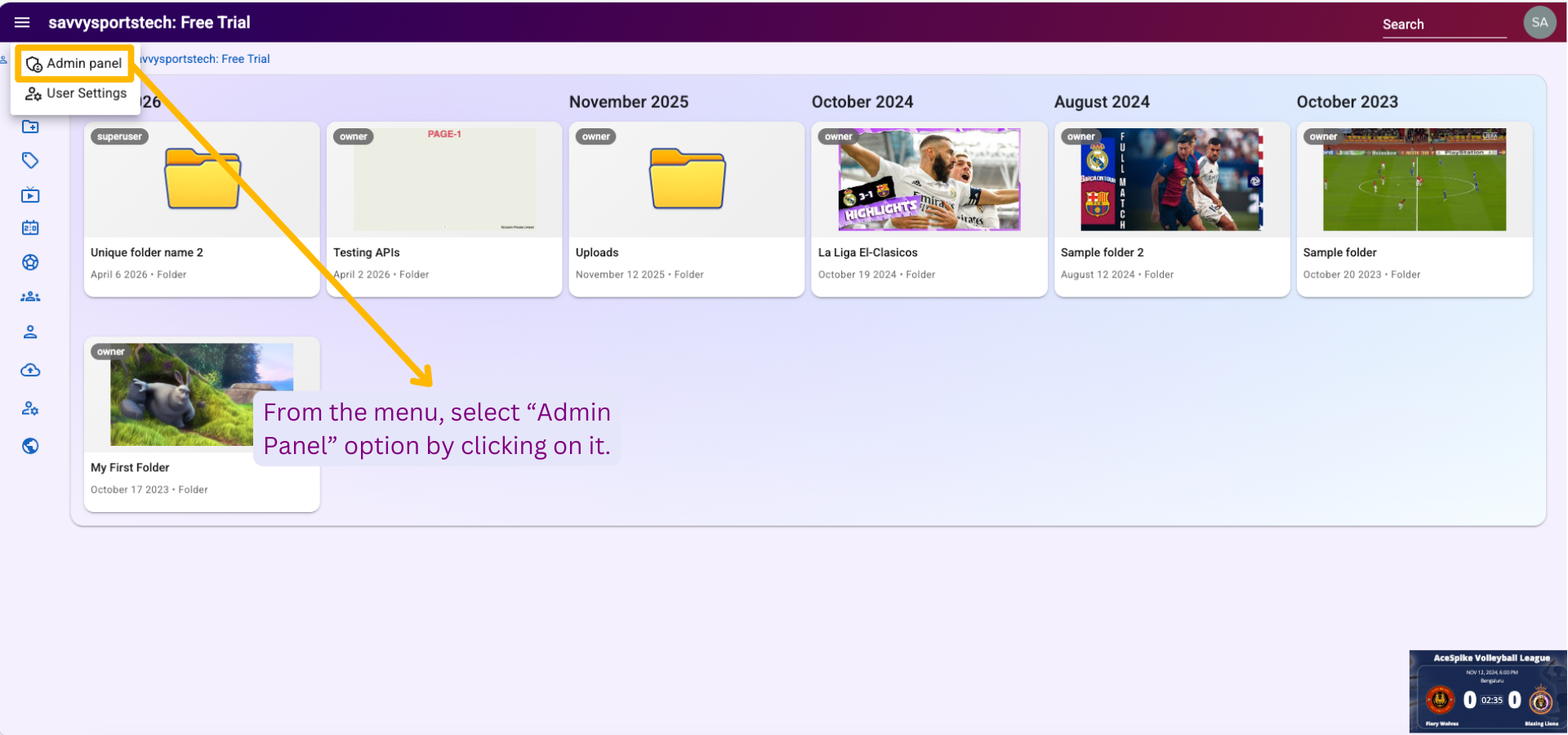


In the Admin Panel, click on "API Keys" option in the left sidebar. Upon clicking, the API Keys page will open as shown below.


In the "Key Name" input field, enter a name for your API key. Then click the "CREATE API KEY" button to generate the key.


Once clicked, a new API key will be created and displayed on the screen, as shown below. Click the "COPY KEY" button to copy and securely store the API key for future use.
Notes
Note: The API key will only be visible once at the time of creation. Make sure to copy and save it immediately, as it cannot be retrieved later.


    • Related Articles

    • Generating Apache ECharts

      Apache ECharts is an open-source JavaScript charting and data-visualization library used to build interactive charts in the browser. It supports many chart types (bar, line, pie, scatter, heatmaps, sankey, etc.) and includes user-friendly ...
    • Generating Plotly charts

      Plotly is a set of open-source charting libraries that help you create interactive, web-ready charts (like bar charts, line charts, scatter plots, heatmaps, and even 3D charts). Plotly charts are designed for modern dashboards and reports: users can ...
    • Background selection and removal using chroma key

      In this article, you will learn how to select and remove background of a video using chroma key in the Creator app. Good background subtraction helps identify players more accurately for highlighting and moving. Before you begin To learn how to open ...
    • List category members in template

      In this article, you will learn how to list category members in template. List category members in template Request Type: GET Header: Authorization: ApiKey <my_api_token> URL: ...
    • List category groups in template

      In this article, you will learn how to list category groups in template. List category groups in template Request Type: GET Header: Authorization: ApiKey <my_api_token> URL: ...