Rename and delete chart

Rename and delete chart

In this article, you will learn how to rename and delete a chart in the EZ Charts window.

Before you begin

To learn how to open EZ Charts window from templates page in SPAN sports performance analysis platform, refer to this article.
To learn how to access EZ Charts for a file, refer to this article.

Rename chart

Double-click on the name of the chart to enable renaming.


Once clicked, it will turn into an input field where you can rename the chart.


After renaming, click outside the input field to complete the renaming process, and the chart will be renamed as shown below.

Delete chart

Click the "Delete instance" button for the chart to delete it.
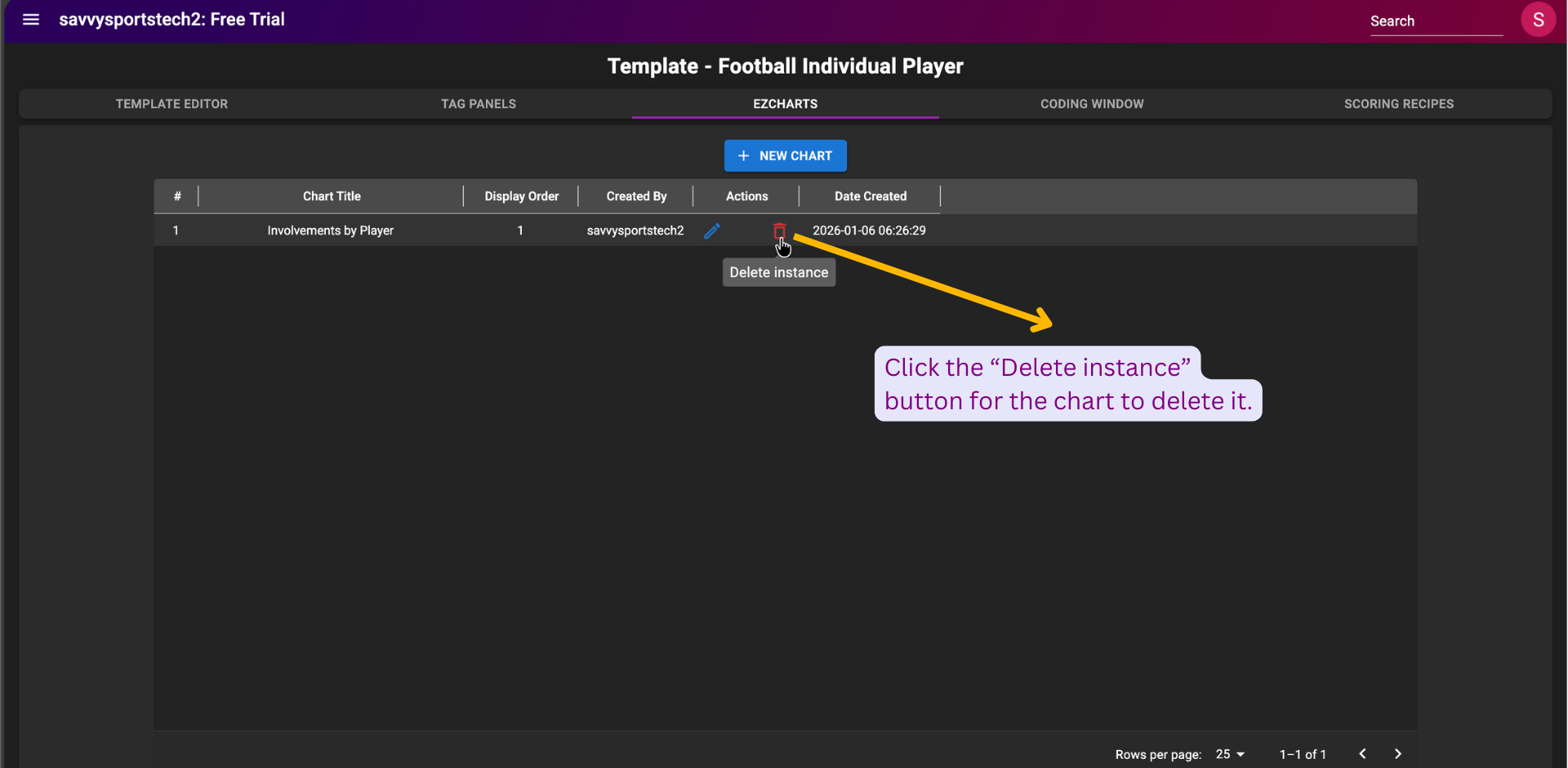


Once clicked, a dialog box titled “Confirm deletion” will open. Click the “DELETE” button to confirm deletion.


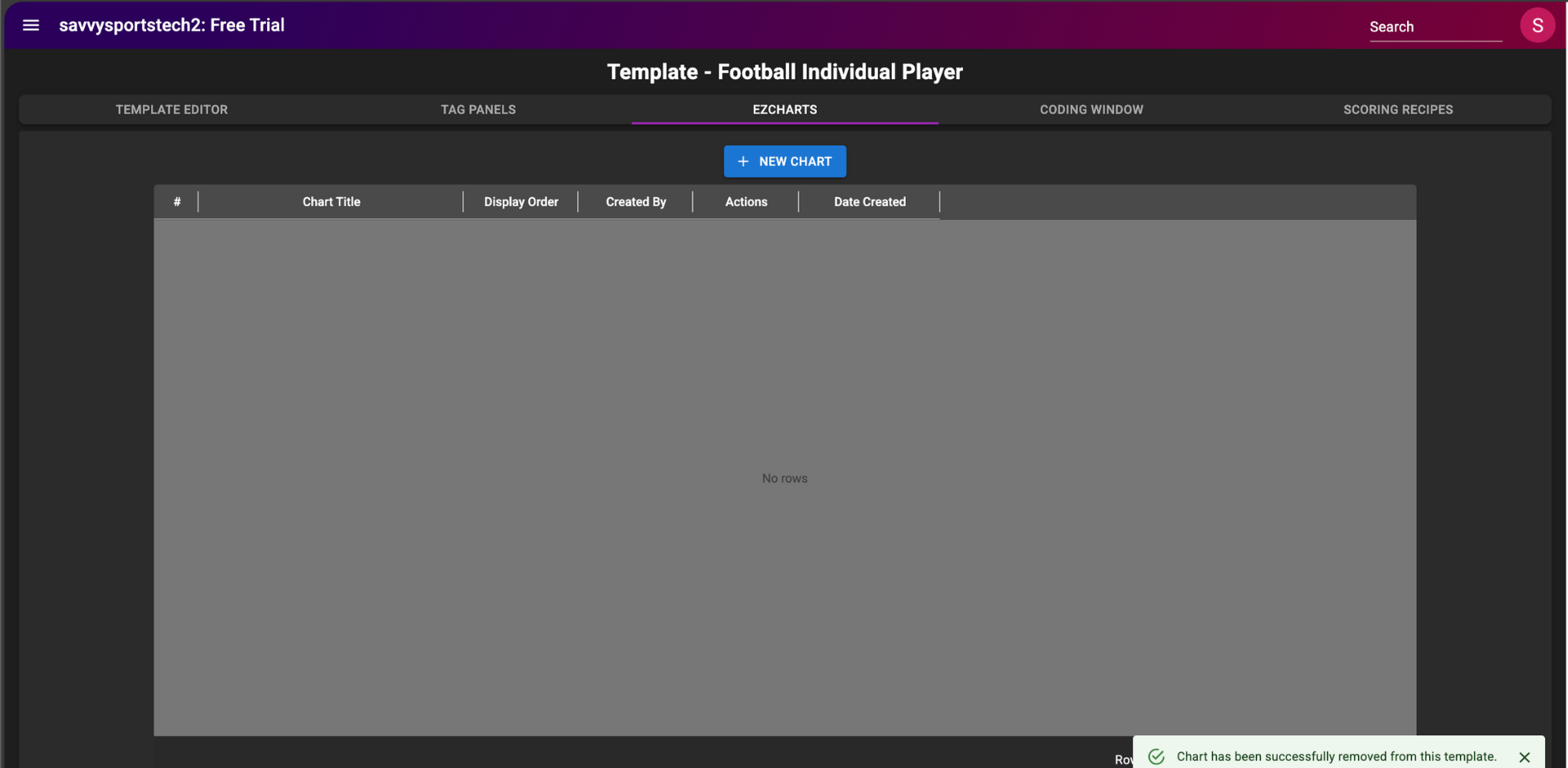
Upon confirmation, the chart will be deleted, and a success message will appear at the bottom right of the page stating "Chart has been successfully removed from this template.", indicating that the chart has been deleted successfully.


    • Related Articles

    • Delete tags

      In this article, you will learn how to delete tags from a video file. Before you begin To learn basics of video tagging in SPAN sports performance analysis platform, refer to this article. Delete tags belonging to the current template After opening ...
    • Delete match

      In this article, you will learn how to delete a match in tournament management. Before you begin To learn how to access the tournament management page in SPAN sports performance analysis platform, refer to this article. To learn how to create a match ...
    • Delete drawing

      In this article, you will learn how to delete a drawing. Before you begin Drawings can be added to both images and videos and must be linked with captions. To learn how to create a rectangle drawing in SPAN sports performance analysis platform, refer ...
    • Delete drawings

      In this article, you will learn how to delete drawings in the Creator app of SPAN sports performance analysis platform. Before you begin To learn how to how to draw an arc in the Creator app, refer to this article. To learn how to how to draw a line ...
    • Introduction to EZ Charts

      Introduction to EZ Charts EZ Charts in the SPAN Sports Performance Analysis Platform make it easy to create, view, and share dashboards of your choice. A key feature of EZ Charts is that each chart segment can be linked to video clips, so users can ...