Access rules page
In this article, you will learn how to access the Rules page of a template.
Before you begin
To learn how to create and open a template in SPAN sports performance analysis platform, refer to this article.
Access rules page
After opening the template page, click on the "RULES" tab to open it.
Once clicked, if no rules have been set up before, the Rules page will appear empty in the "Template Rules" editor, as shown below.
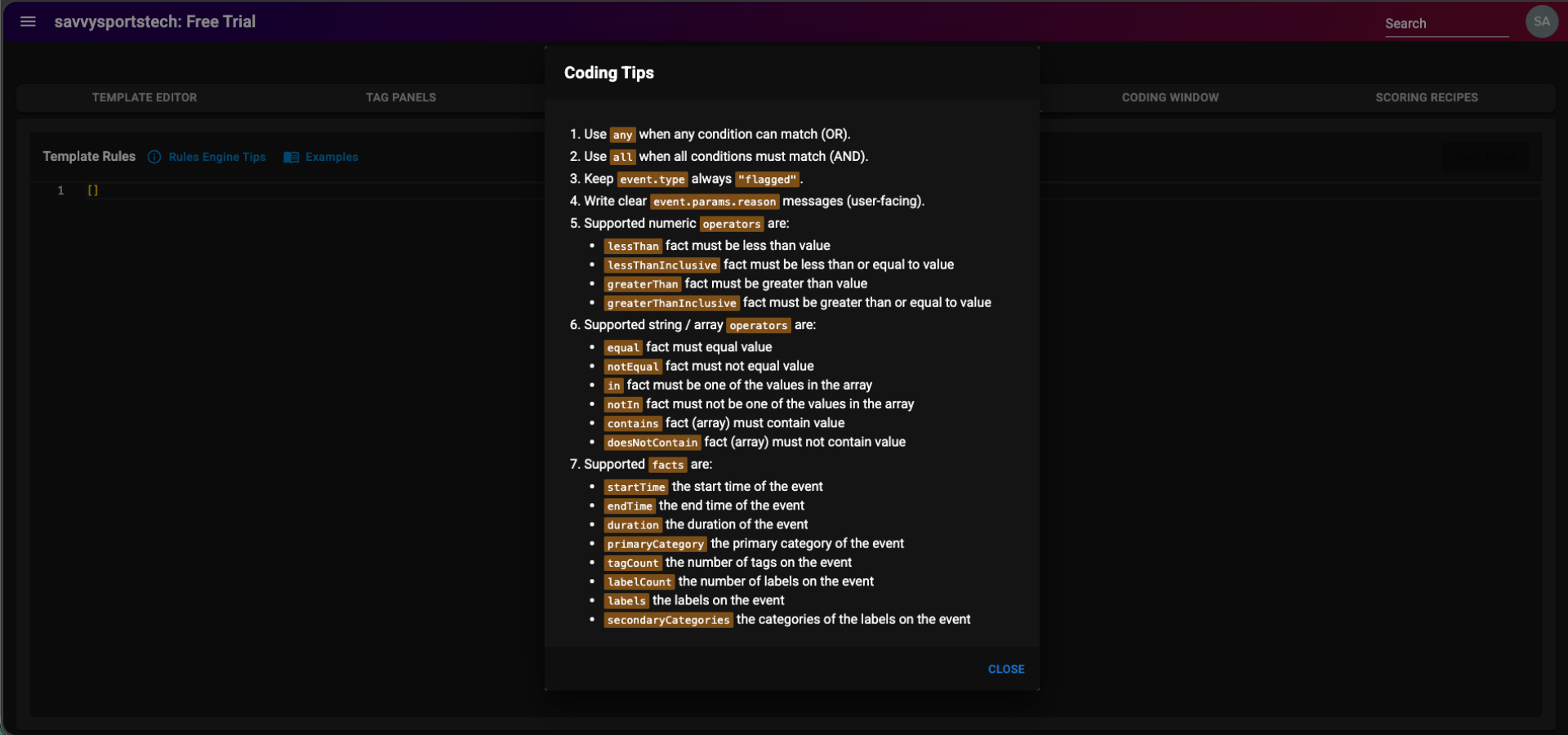
Click on the "Rules Engine Tips" button to check JSON rules coding tips for use in the editor.
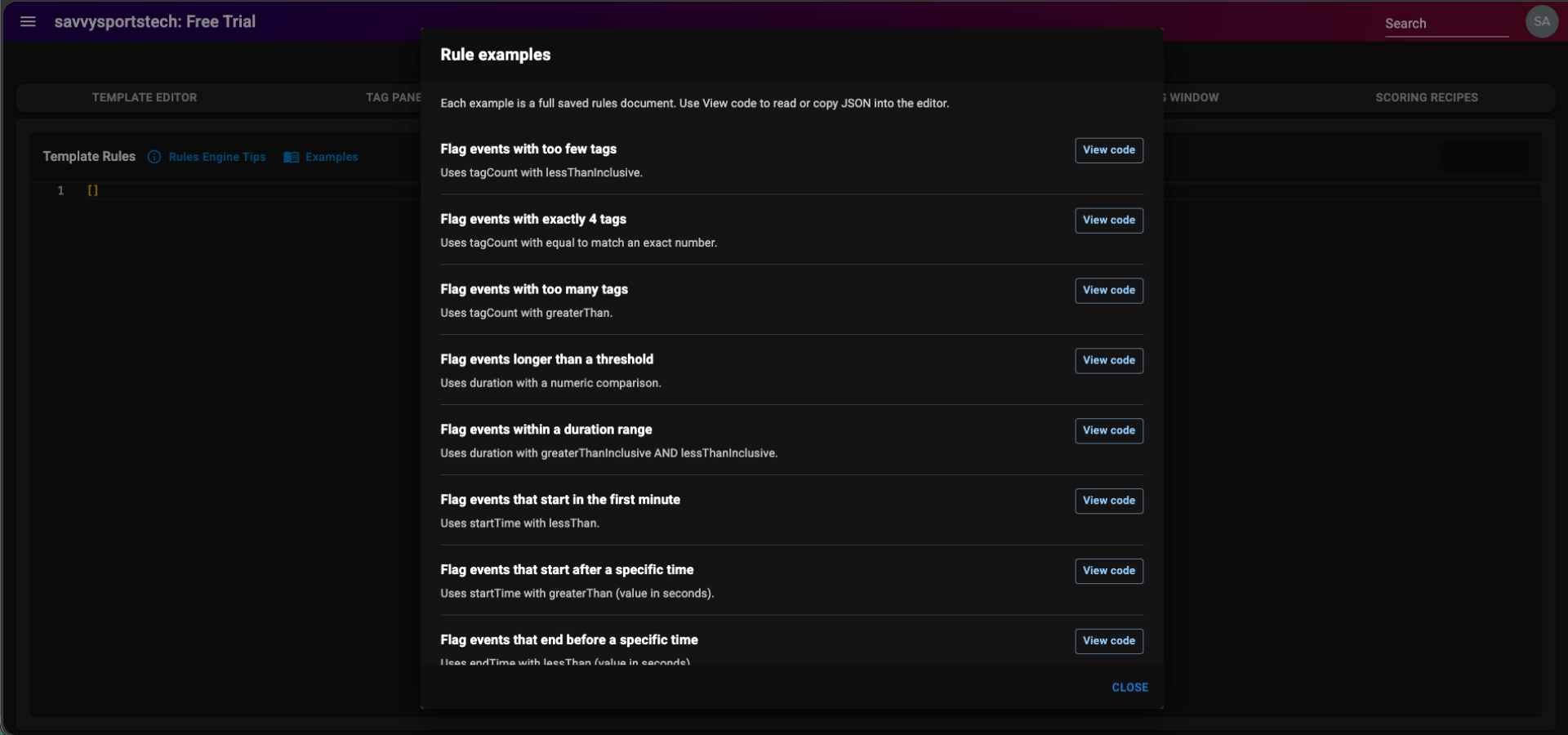
Click on the "Examples" button to explore different rule documents.
Once the "Rules Engine Tips" button is clicked, a dialog box named "Coding Tips" will open, detailing JSON rules coding tips for use in the "Template Rules" editor, as shown below.
Once the "Examples" button is clicked, a dialog box named "Rule examples", containing different rule documents, will open, as shown below.