Flagged events - rules in action
Flagged events are those that do not adhere to the rules written for a template. In this article, you will learn how to check flagged events once multiple rules are set for a template.
Before you begin
To learn how to access the Rules page and view some rule examples for a template in SPAN sports performance analysis platform, refer to this article.
Flagged events - rules in action
Suppose we have defined these 3 rules for a template:
"Event must have exactly 4 tags."
"Start time must not be greater than end time."
"Event duration must be between 0.1s and 5s."
If events in a video tagged using this template do not adhere to these rules, SPAN will mark them as flagged.
After opening any video tagged using the same template, you can check flagged events by clicking the flag button on the left panel of the page. If there are any flagged events, a red dot will appear above the flag icon, as shown below. Hovering over the flag icon will display the count of flagged events. Click on the flag button to open the flagged events.
Upon clicking, a list of flagged events is displayed on the right side of the page once the flag button is clicked. Click on each event to open it.
Once clicked, check the rules violated for that event in "RULES VIOLATED" section, and then edit, update the event accordingly.
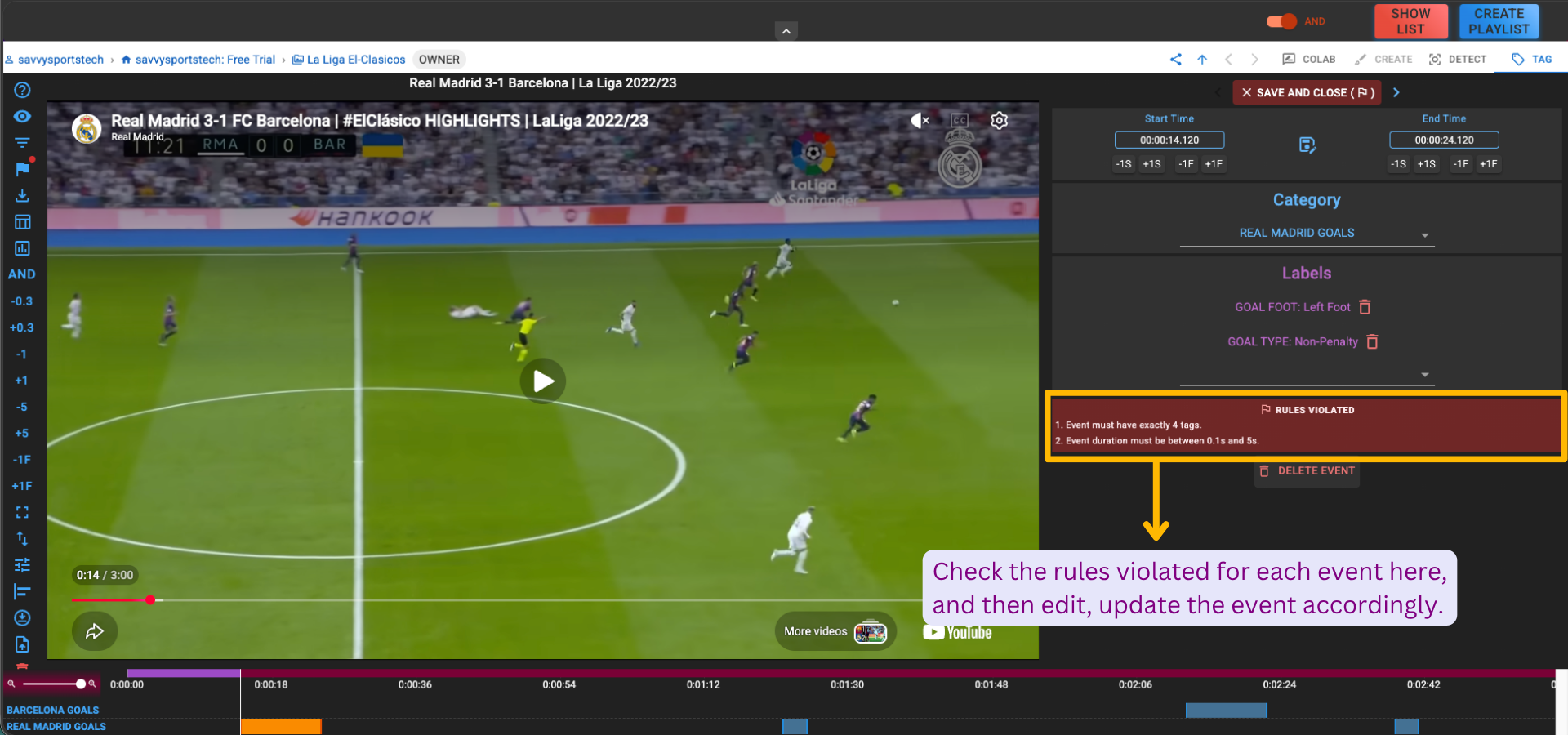
Click on the "Click to save event" button after updating the event. It will immediately change the event from flagged to unflagged status..
Once clicked, a success message "Event updated successfully" will be displayed at the bottom right of the page, indicating that the event has been updated.
If there are no flagged events for the file, there will be no red dot above the flag button on the left panel, and it will show "0 flagged events" on the right side of the page.