Save rules for a template

Save rules for a template

In this article, you will learn how to save rules for a template.

Before you begin

To learn how to access the Rules page and view some rule examples for a template in SPAN sports performance analysis platform, refer to this article.

Save rules for a template

Notes
Note: Instead of using JSON code from the "Rule examples" dialog box, you can also set up rules directly in the "Template Rules" editor by referring to JSON rules engine examples here and customizing the code as per your needs, provided it follows the coding tips shown in the "Rules Engine Tips" dialog box.

After opening the "Rule examples" dialog box, click on the "View code" button for any rule document example to see the corresponding rule code.


Once clicked, the rule document code will open, as shown below. Copy all lines, then click on the "CLOSE" button to close the "Rule examples" dialog box and return to the "Template Rules" editor.


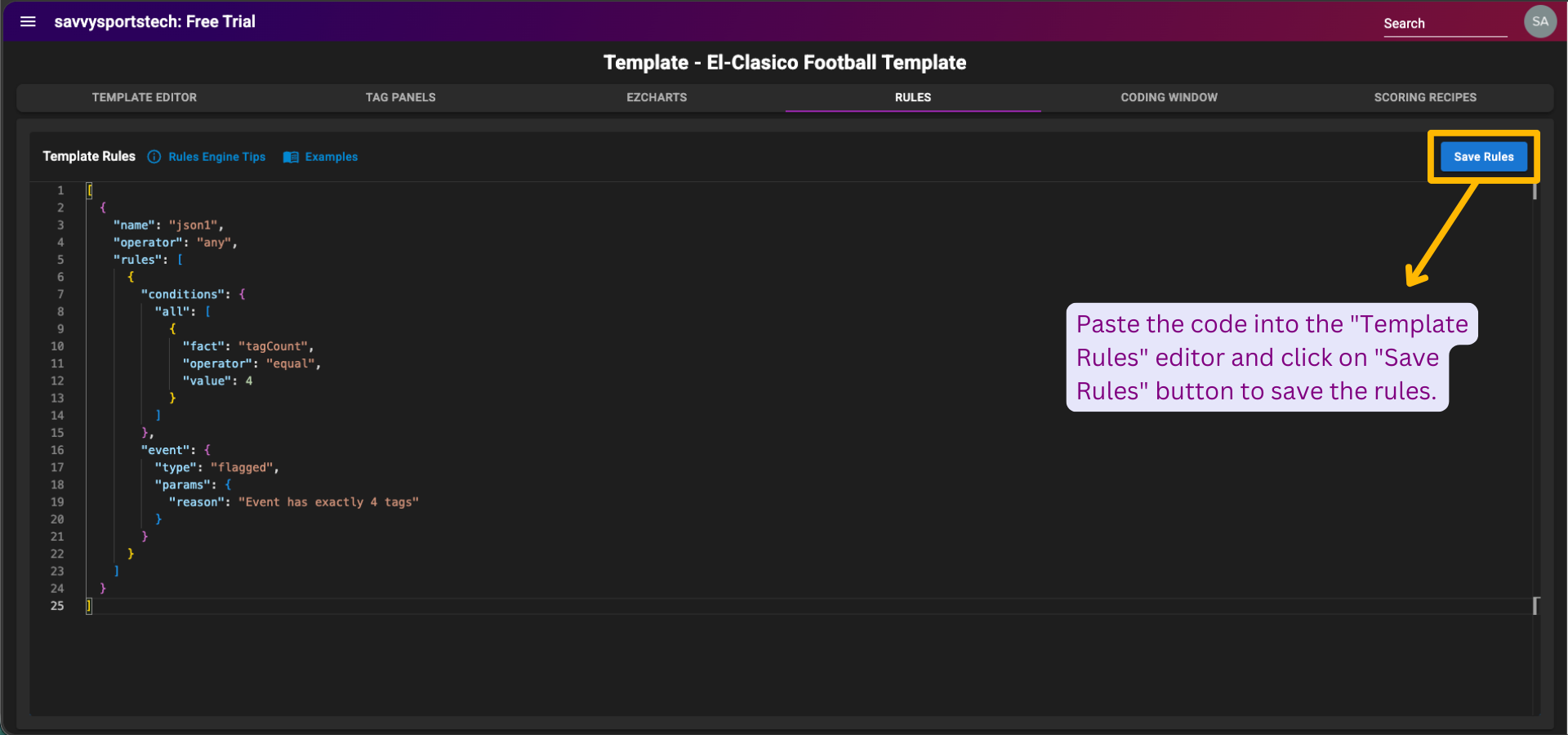
Paste the rule code into the "Template Rules" editor, then click on the "Save Rules" button at the top right of the page to save the rules.

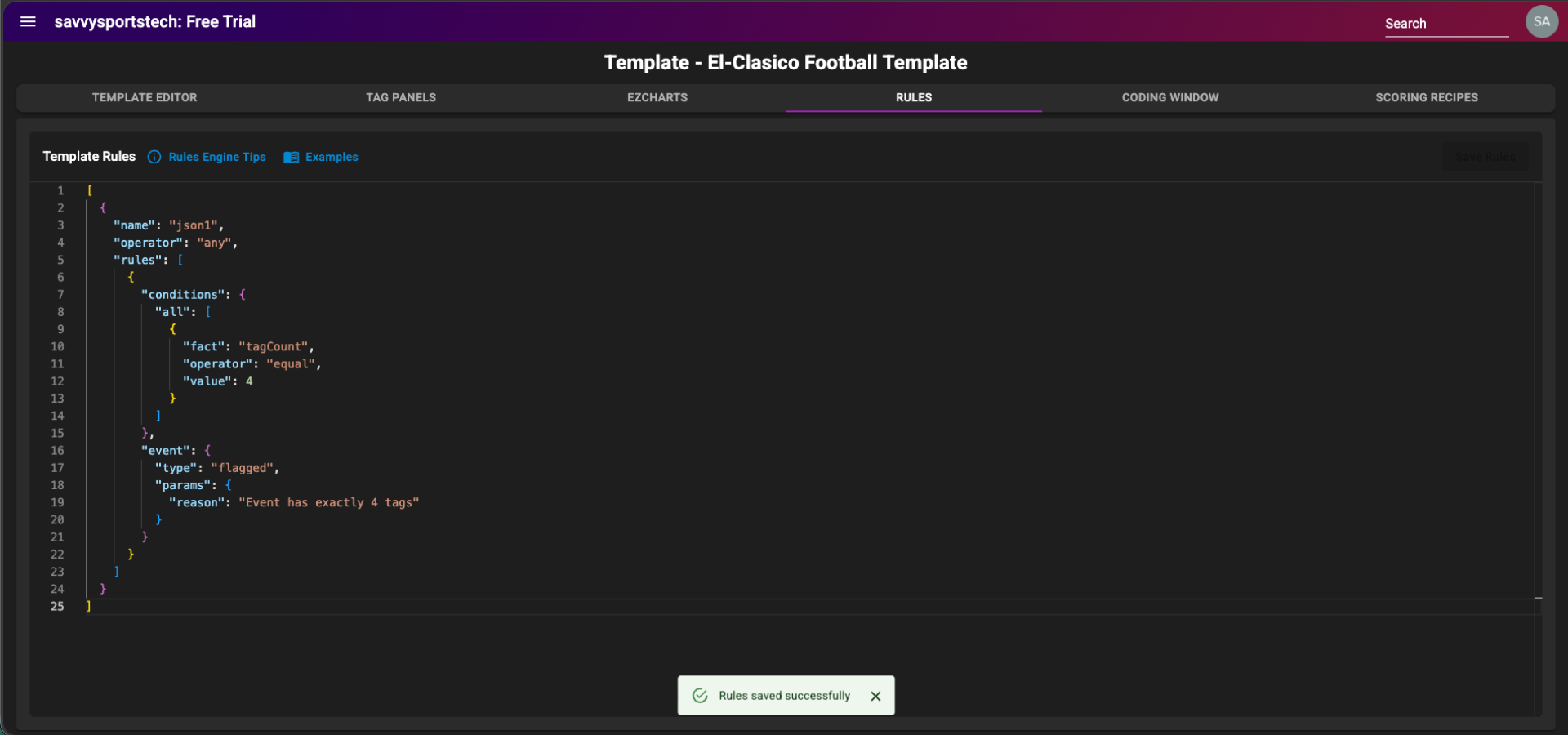
Once clicked, a confirmation message - "Rules saved successfully" will be displayed at the bottom center of the page, indicating that the rules have been updated.


    • Related Articles

    • Multiple rules for a template

      In this article, you will learn how to write multiple rules for a template. Before you begin To learn how to access the Rules page and view some rule examples for a template in SPAN sports performance analysis platform, refer to this article. ...
    • Why rules?

      When tagging scales or even when it doesn't - Quality can drift In the early stages of a tagging workflow, things feel controlled. Whether it's a single analyst or a small team, the logic is clear and the volume is manageable. But over time - as more ...
    • Flagged events - rules in action

      Flagged events are those that do not adhere to the rules written for a template. In this article, you will learn how to check flagged events once multiple rules are set for a template. Before you begin To learn how to access the Rules page and view ...
    • Access rules page

      In this article, you will learn how to access the Rules page of a template. Before you begin To learn how to create and open a template in SPAN sports performance analysis platform, refer to this article. Access rules page After opening the template ...
    • List category groups in template

      In this article, you will learn how to list category groups in template. List category groups in template Request Type: GET Header: Authorization: ApiKey <my_api_token> URL: ...